MAPublisher Features
Seamless integration with Adobe Illustrator

MAPublisher panels seamlessly integrate into the user interface and can be resized, moved, and docked just like native Adobe Illustrator panels. The MAPublisher Toolbar allows you to easily launch all the main MAPublisher tools in a single click. Tools are organized to better suit your cartographic workflow.
Import and map geospatial data
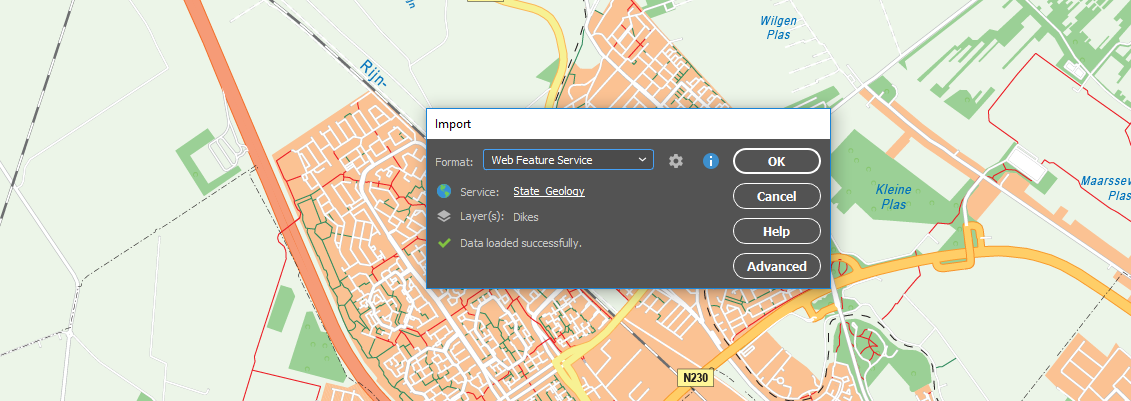
Import GIS data formats from ArcGIS, MapInfo, FME Desktop, AutoCAD, Google and other industry-leading formats. Connect to WMS and WFS map services to import data. Make vector and attribute edits and export MAP Views and MAP layers to a variety of GIS data formats. Export the entire document to a georeferenced image including exporting to web tiles in MapBox and Tile Map Service formats.
See All Supported Import Formats
View and edit data attributes openly
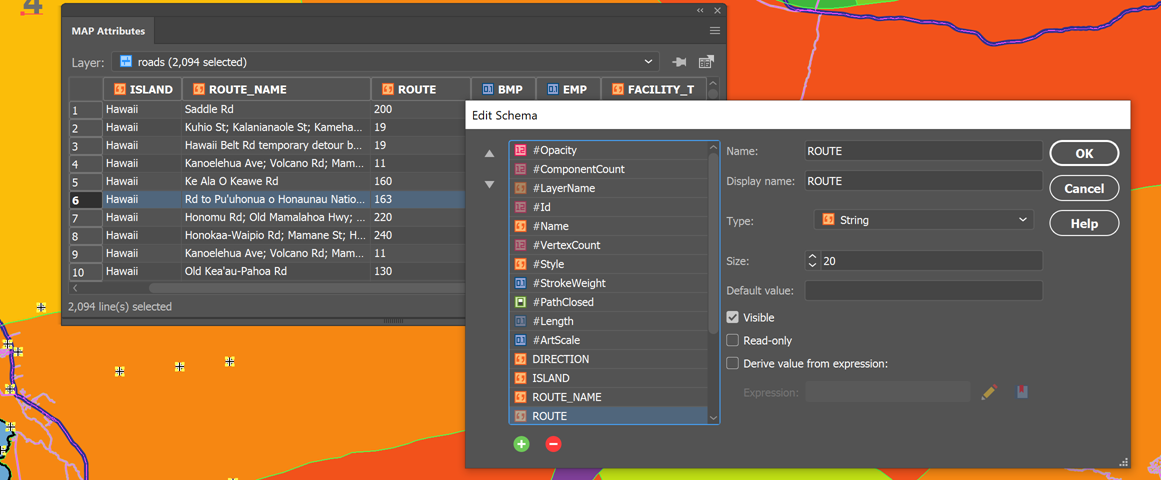
The attribute table holds map attribute information your vector line, area or point data. Add and remove columns, edit schemas, join tables and apply expressions to customize map attributes. Pin attributes to keep current even if artwork is not selected and navigate them using recordset navigation tools. A MAP Data Snapshot panel keeps attributes visible even after data is deselected for easy comparison. An Image data type that supports images imported from Avenza Maps and exported to Google Earth.
Jump start your map creation with Vector Basemaps
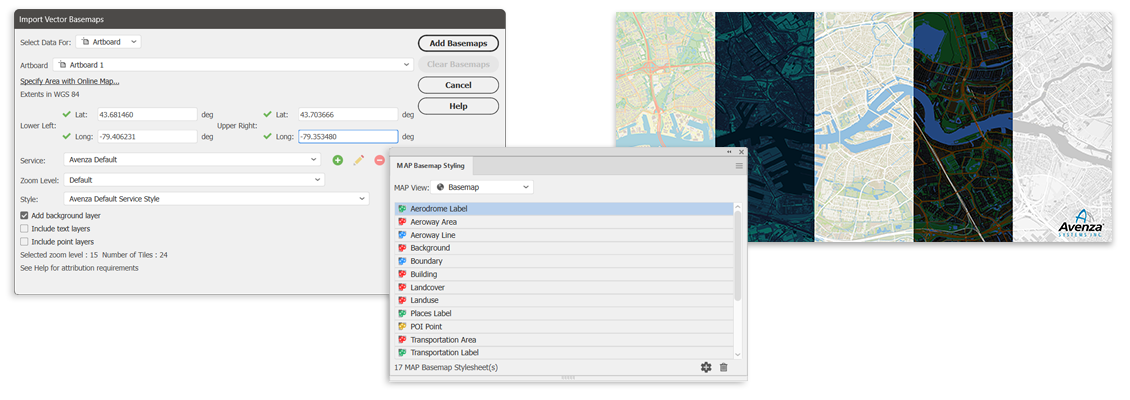
This exciting tool gives you the ability to import georeferenced vector data to your maps from an online server. Imported data is autostyled based on the zoom level and attribute information, but can also be configured or imported by users to create savable custom styles.
Connect to spatial databases
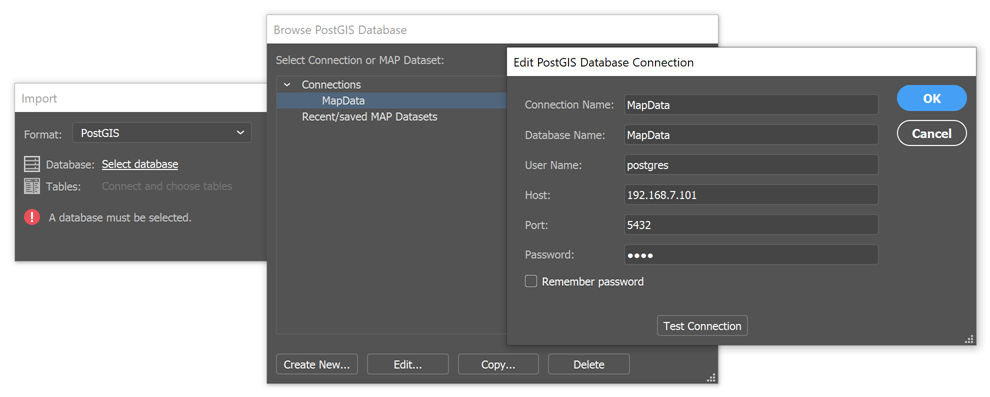
Spatial Databases are now included as a standard feature. Directly import feature classes from Esri Personal geodatabase (.mdb), File geodatabase (.gdb ) PostGIS, and ArcSDE servers. Use SQL queries and spatial filters to refine import. ArcGIS 10 geodatabases and ArcMap documents are supported. Basic geodatabase import functionality is available for Mac. Basic personal and file geodatabase import also available, with certain limitations.
ArcGIS Online integration

Sign-in and import Feature Layers, Map Image Layers, Tile Layers, and web services from ArcGIS Online with full attributes and spatial referencing. Geocode addresses with ArcGIS Online using MAP Point Plotter.
Get further with MAPublisher FME Auto add-on

MAPublisher® FME Auto™ provides the ability to import FME FFS files. It also installs as an FME writer to translate GIS data from FME Desktop to Adobe Illustrator. MAPublisher FME Auto license required, purchased separately.
Create fresh styles with MAP Themes
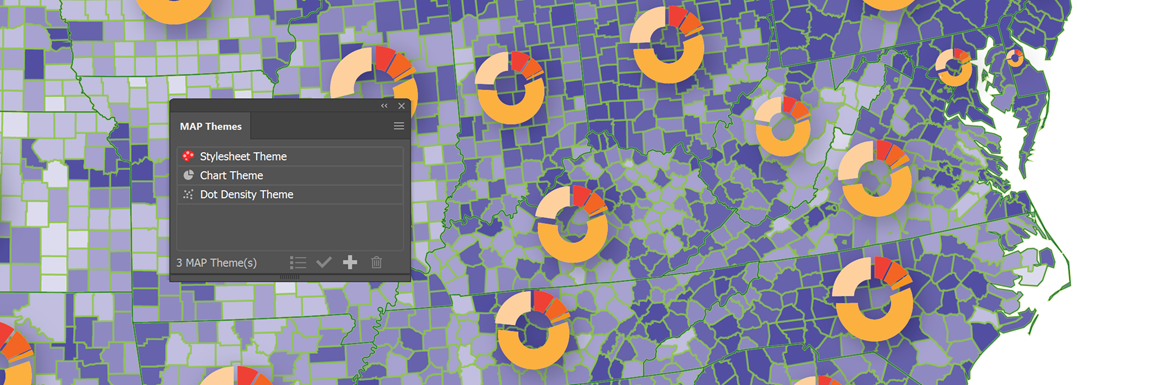
Use MAP Themes to create dot density maps, charts and stylesheets for visually stunning thematic maps. Use classification methods to easily create data classes. In addition, create highly customizable MAP Theme Legends that automatically update and add other map elements including scale bars and north arrows with preset designs or edit existing ones.
Go mobile with Avenza Maps and the Avenza Map Store
>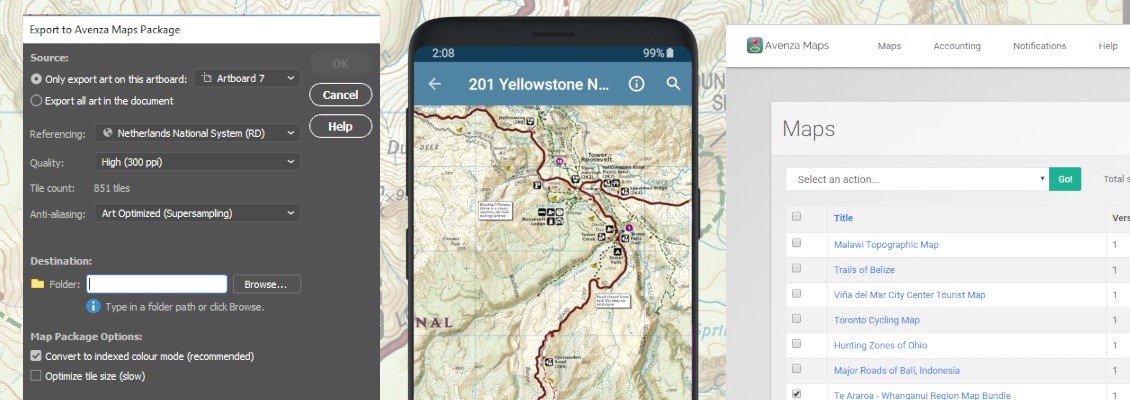
Create map packages from your documents that are compatible with the Avenza Maps app for iOS, Android, and Windows. Map packages are pre-processed specifically for the Avenza Maps app. Avenza Maps vendors can upload map packages to the Avenza Map Store from within Adobe Illustrator and have them for sale very quickly.
Full geospatial PDF support

Create Adobe Acrobat geospatial PDF files containing coordinate system and attribute data from any MAPublisher document. Find locations, measure distances, perimeters, and areas, add locations markers and customize export settings. Also, import geospatial PDF and GeoPDF® documents and automatically assign the data to MAPublisher layers.
Quickly geoprocess features

Buffer, join, spline, flip, crop, and simplify map features at the click of a button. Join Areas to dissolve multiple features into a larger feature and still retain attributes. Use the Area Plotter and Line Plotter tools to plot coordinates and draw features.
Select data with fewer clicks
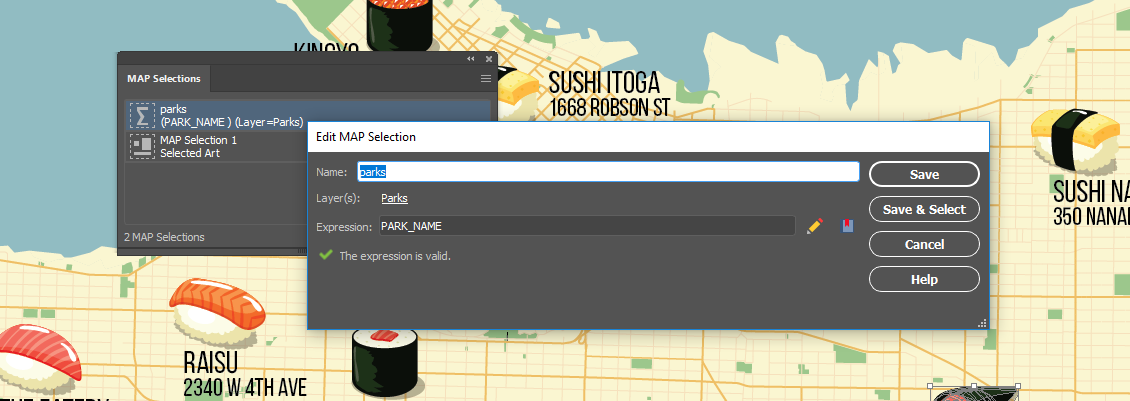
MAP Selections let you to build, edit, and apply multiple selection criteria based on the attributes and properties contained in MAP Layers. Create Spatial filters to select data based on intersection or containment. Selection criteria are created in an expression builder and can be applied to any MAP layer and. Saved MAP Selections can be applied to new or existing selections.
Label like a pro

Create labels for map objects using values from the MAP Attributes panel. Use the Label Features tool to add labels to layers automatically; and MAP Tagger and Contour Tagger Tools to apply labels individually. Achieve advanced labelling with MAPublisher LabelPro™. More rules, styles and sophisticated labelling engine results in more efficient and better placed labels.
More flexibility with MAPublisher utilities

Text Utilities performs many text actions such as correcting upside down text, separating multiline text into single line, and cropping text path to text length. Use Path Utilities to perform path operations on lines and areas. Add detail, copy vertices to a point layer, find self intersection points, remove duplicate points, and convert beziers to polylines. Convert compounds to groups and create an elevation plot based on features.
Georeference intuitively

Georeference data with the help of MAP Locations. Give spatial properties to a non-referenced map by establishing a relationship between page locations in the document (using MAP Page Locations) and world locations. Use online map services to quickly find world coordinates to use in georeferencing. Plot MAP Locations anywhere on your maps. They can be used as annotations to identify map world or map page locations and in other MAPublisher tools such as Specify Anchors, Area Plotter, Line Plotter, Point Plotter, and the Georeferencer.
Make web maps without extensive coding experience
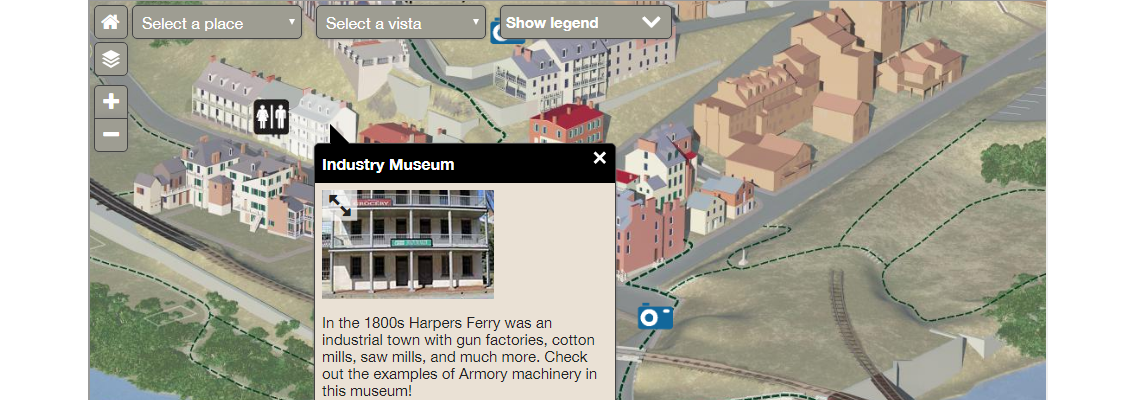
Export Adobe Illustrator documents with GIS data to interactive HTML5 maps. Web maps complete with callouts, rollovers, layers, pan and zoom controls, and with all the underlying GIS attributes intact. Export maps without any additional coding or software requirements and embed them to any web page.
Plot and geocode points

Plot points based on coordinates or address. Address points can be plotted using the MapQuest or Esri geocode engine. Use Find Places to dynamically search for points of interest and add them to your map. Works great to quickly create a point dataset for any project.
Map better with better cartographic tools
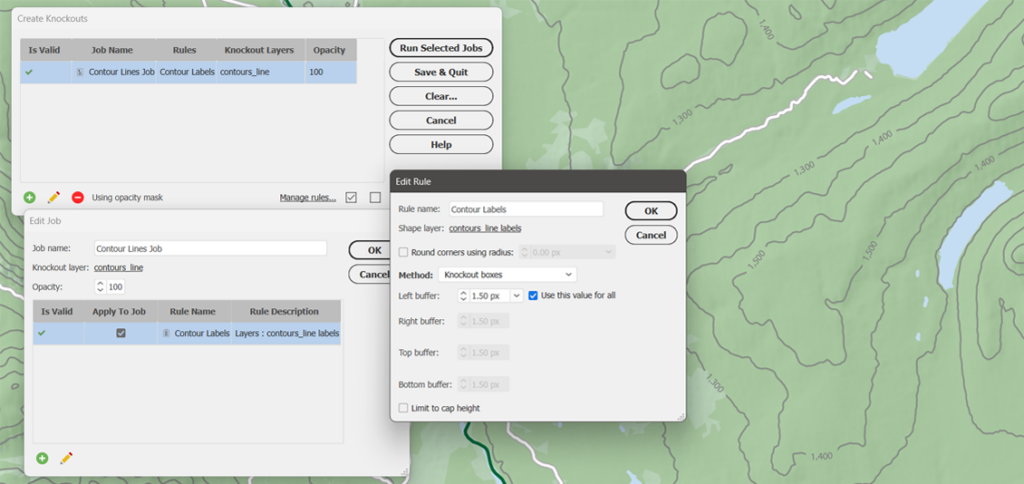
Create Knockouts automatically generates masks behind text to hide underlying lines and enhance map readability. Great for contour labels and road labels. The Create Halo tool produces halo graphic styles and applies halos to area, line, point and text features.
A better way to crop data

Crop map documents only to the area of interest. Easily remove unwanted data while preserving attributes and styles. Perfect for creating inset maps. New Crop to Shape function allows you to crop to any shape.
Detailed grid, graticule and index customization

Redesigned to easily create map grids and map indexes. More controls and ability to create multiple grids will provide highly customized looks. Graticules can be created for reference purposes or to follow designated lines such as latitude and longitude and can also be labelled for indexing. When a labeled grid has been established, MAPublisher is able to generate index files, containing the location of text objects in MAP Layers.
Map faster with automation
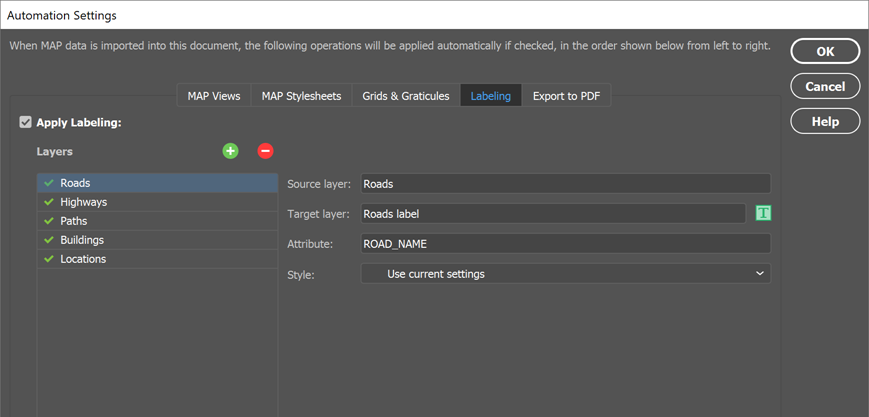
Use Automation to configure settings that intiate MAPublisher operations upon data import to automate map production, such as manage MAP Views, apply MAP Theme stylesheets, create grids and graticules, label using MAP LabelPro, and export to geospatial PDF. Use in conjuction with MAPubilsher FME Auto for a fully automated cartographic workflow.
Simple license management configuration
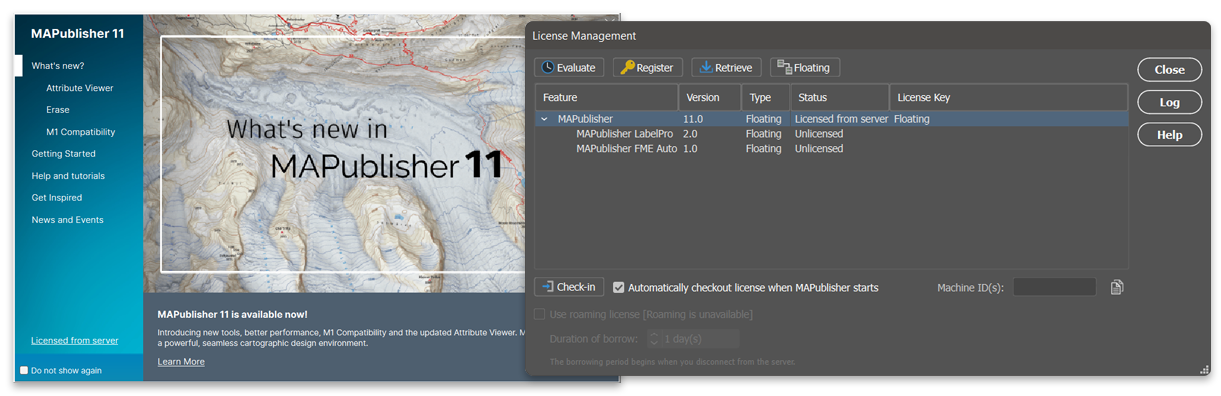
Easily manage license options including commercial, academic, multi-user and floating. Empower multiple users on a network with cost-effective network or floating licenses.
MAPublisher just works

The latest release of MAPublisher is available for Windows 10 and Windows 11, and for macOS 15 and macOS 26. MAPublisher 12.0 is fully compatible with Adobe Illustrator 2025 and 2026.