Geographic Imager Features
Seamless integration with Adobe Photoshop
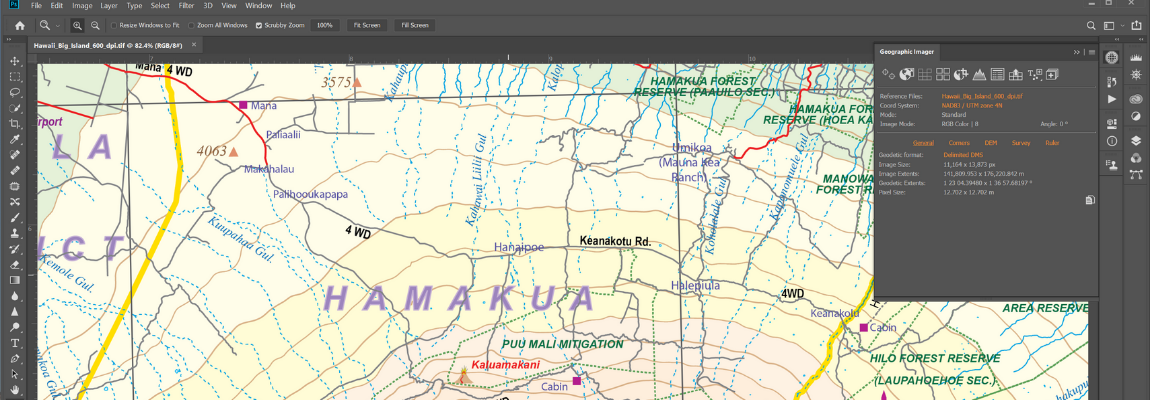
Now fully compatible with Adobe Photoshop® 2025 and 2026, the Geographic Imager® panel provides access to all the tools and functions quickly and easily. More time is left to edit geospatial data rather than searching for tools. Geospatial information of GeoTIFF, DEM, ECW, MrSID and other supported images is displayed on the panel including the coordinate system, world location of the corners, and pixel size.
Retain geospatial properties
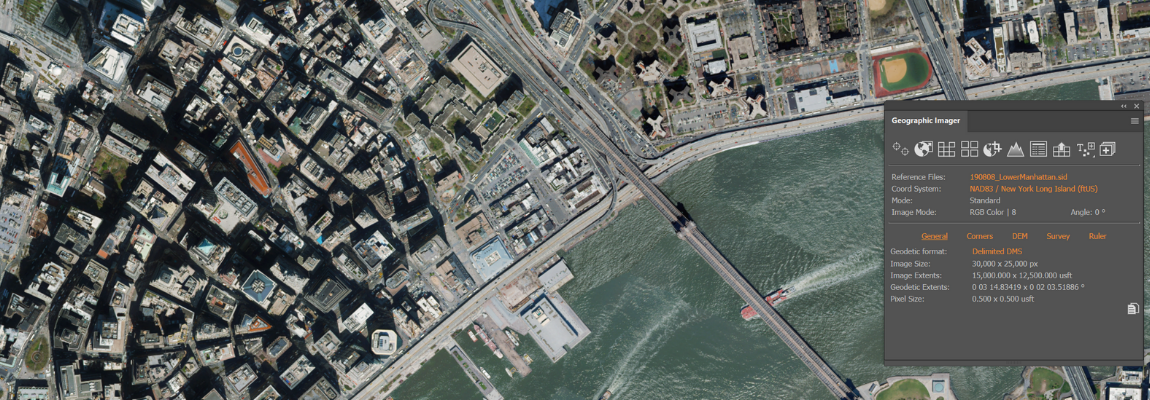
Geographic Imager allows the use of Adobe Photoshop native functionality without destroying the spatial properties of spatial images. Easily manipulate and adjust the visual elements such as colour values and levels, histograms, hues and sharpness. Spatial properties of the image are automatically updated and retained even after performing crop, rotate or geospatial adjustments. This is important in industries such as photogrammetry and remote sensing where it is necessary to work with precise measurements.
Georeference images intuitively
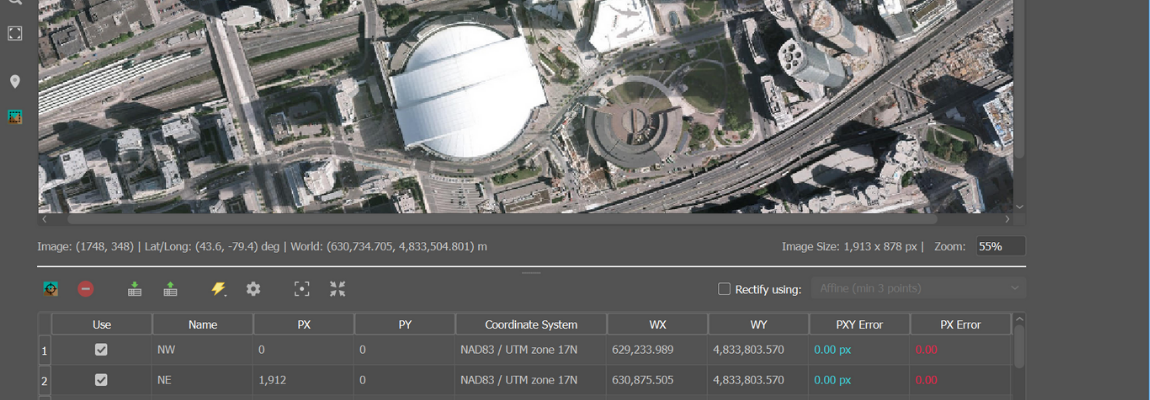
Import or add ground control points for accurate georeferencing of aerial photography or satellite imagery with multiple transformation types supported. Georeference with the aid of an online map to match control points with real world coordinates. Assess residual errors to improve geoferencing and detect coordinate system to reference or rectify images to. Quick Georeference by a single tie point, two tie points, or from other documents.
Advanced image format import
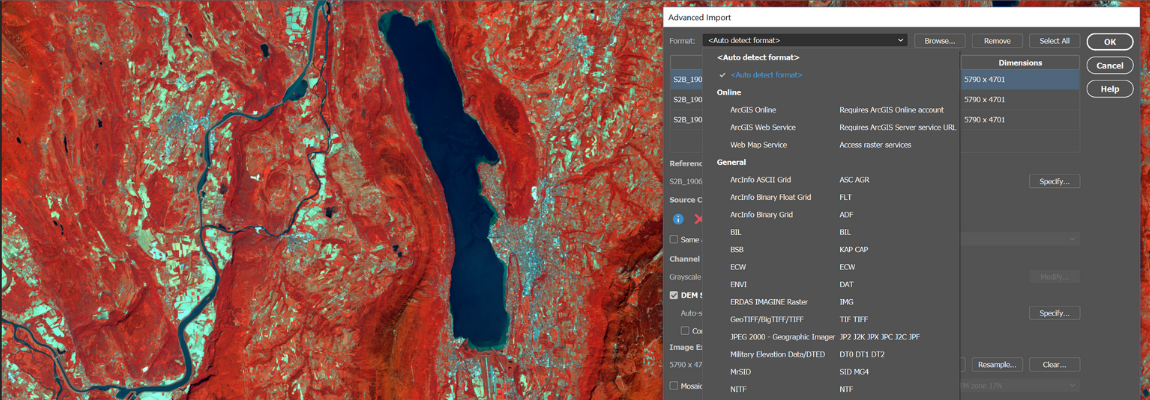
Import multiple files of differing formats (drag and drop supported). Resample and crop large images to quicken the import process. In addition, mosaic and import images as layers into existing documents, specify and adjust DEM and DTM information and combine multiple DEM files on import. Useful for remote sensing, modify bands/channel color mapping and select specific channels to import for multiband/hyperband images.
Connect to web map services
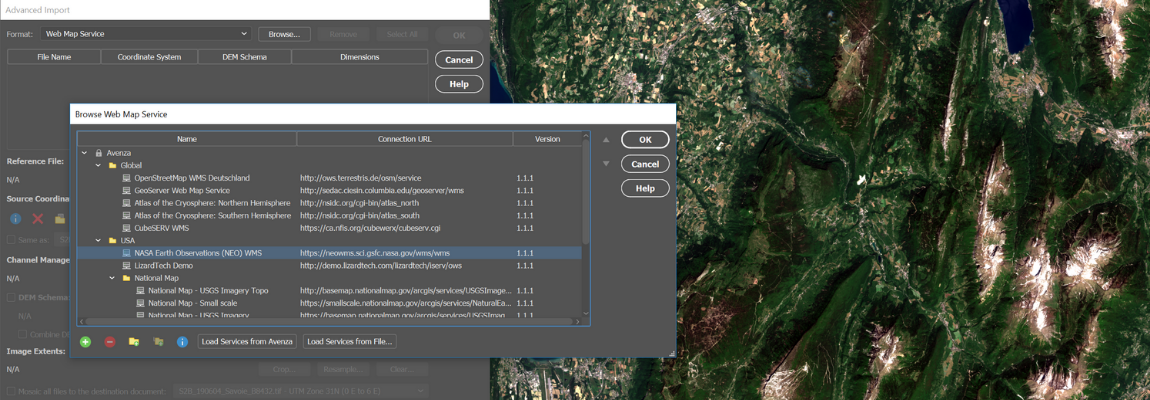
Import raster data directly from Web Map Services (WMS). It accesses web servers that deliver raster content in a variety of formats. Select a scale and area to quickly download an image with full spatial referencing intact.
Export web tiles for web maps
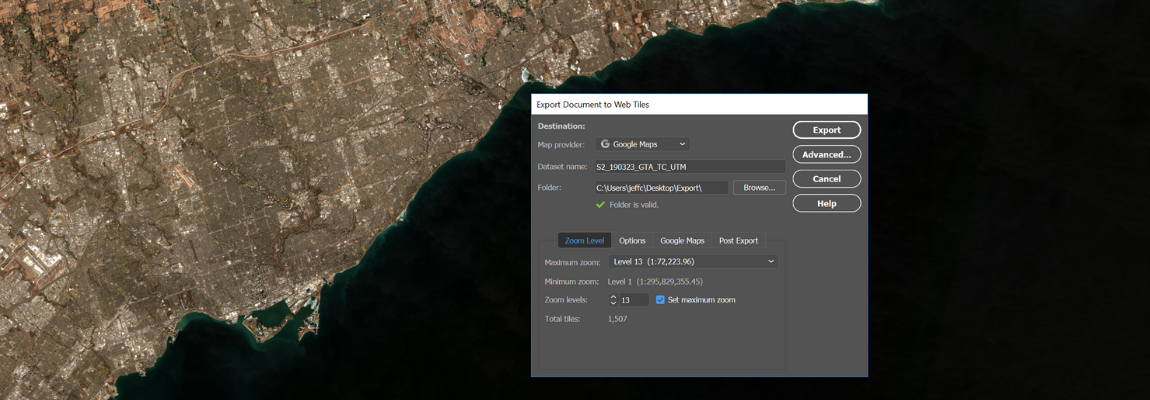
Use the Export Web Tiles feature to generate image tiles that can be used for online map purposes. Google Maps, OpenStreetMap, and TileMill formats are supported. Included with the tiles is an HTML file that can be further edited to fit your online mapping solution.
Import and export elevation data

Import DEM formats such as ArcInfo ASCII Grid, ArcInfo Binary Grid, USGS DEM, Military Elevation Data/DTED and SRTM. Assign a DEM Schema during import for easier rendering. Overlay aerial photography to create custom looking images. Export to grayscale GeoTIFF and USGS DEM formats. Convert DEMs to vector contours using the Export Contours tool for use in MAPublisher. See a complete list of supported formats.
Go mobile with Avenza Maps and the Avenza Map Store
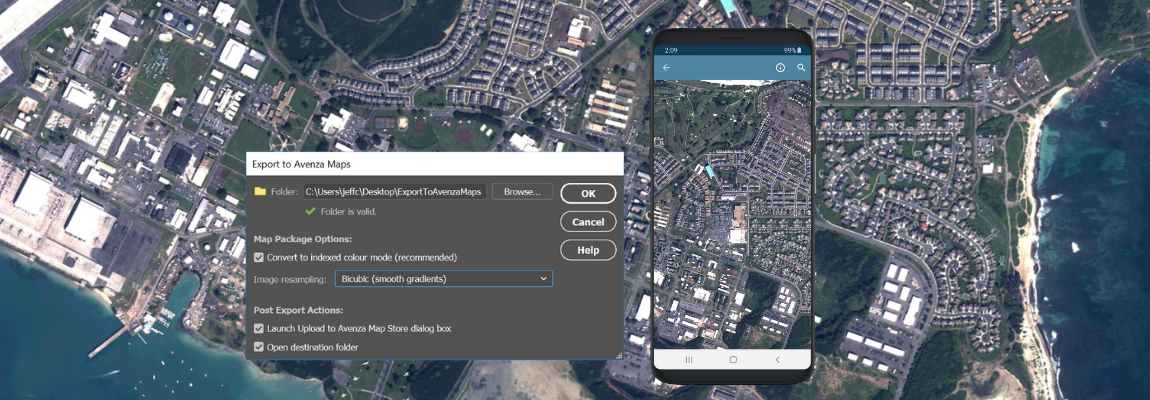
Create map packages from your documents that are compatible with the Avenza Maps app for iOS and Android. Map packages are pre-processed specifically for the Avenza Maps app. An Avenza Maps vendor can upload map packages directly to the Avenza Map Store and have them for sale very quickly. Export to Avenza Maps can be included in a Adobe Photoshop batch scripts to process and export hundreds of maps at once.
Full geospatial PDF support
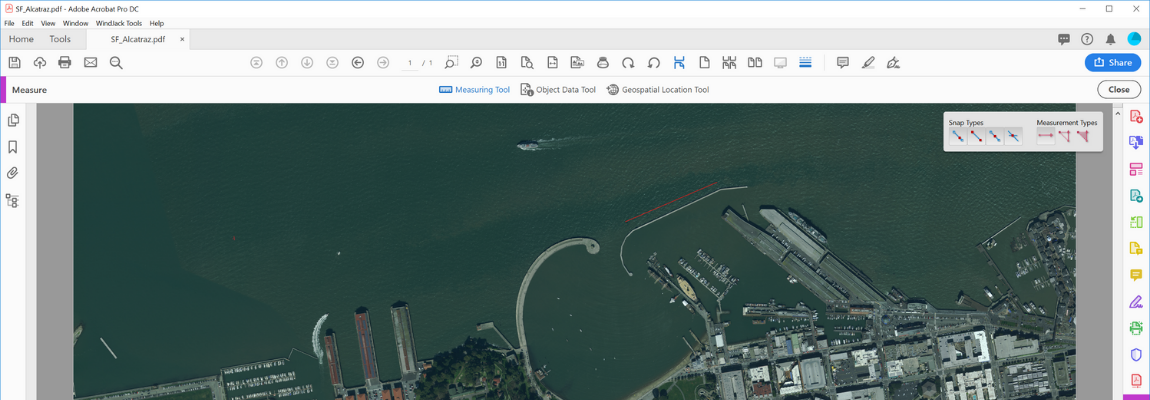
Create Adobe Acrobat PDF files containing coordinate system and attribute data from any Geographic Imager document. Find locations, measure distances, perimeters and areas, add locations markers and customize export settings. Geographic Imager automatically detects spatial referencing when importing geospatial PDF and GeoPDF® documents.
Extensive coordinate system support
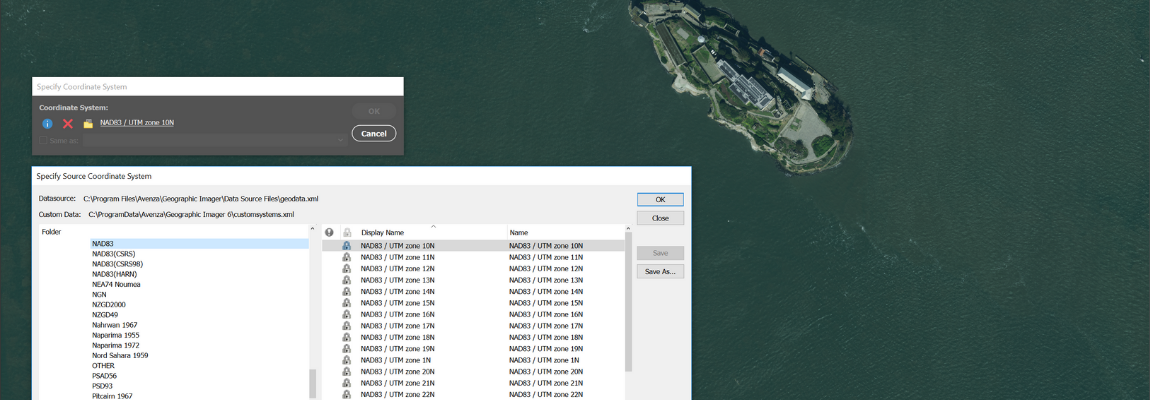
Extensive support for thousands of geographic and projected coordinate systems with the ability to save custom definitions for future use. Re-center images using a custom central meridian and modify pixel resolution.
Mosaic images effortlessly
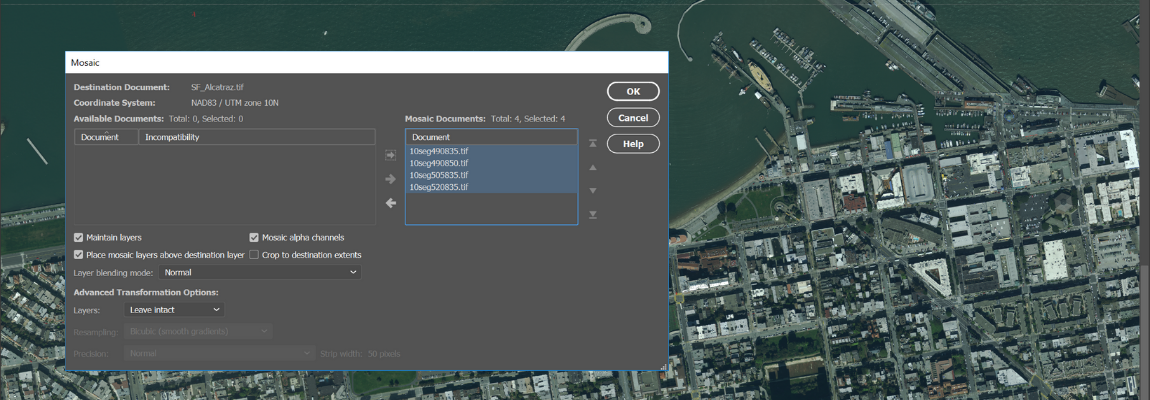
Mosaic raster images to create a seamless image. Retain images as separate layers or flatten to create one image. Image transformation during Mosaic is supported, making it easier to get images to look the way you want. Create a seamless mosaic of images with different coordinate systems, pixel sizes, channels and colour modes.
Create tiled images quickly
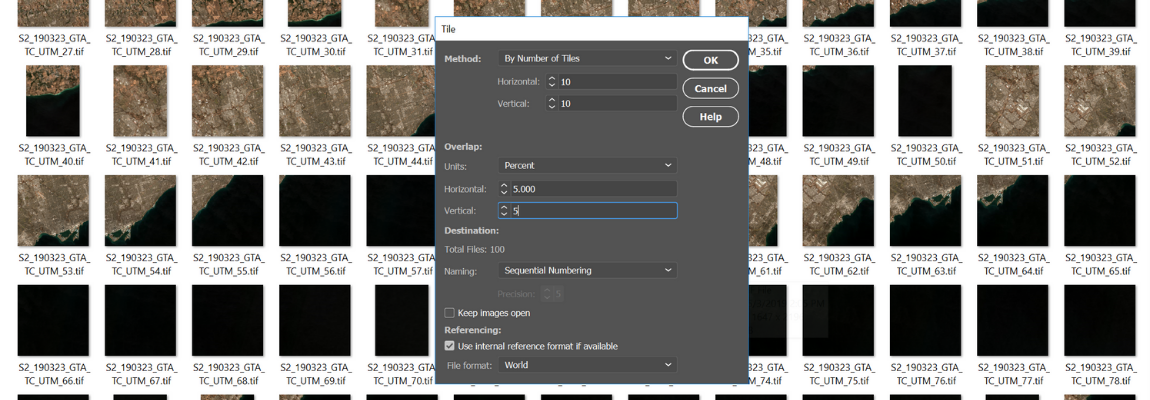
Tile raster data into multiple images by tile size or count and automatically saves tiles using sequential naming into any supported spatial image format. Great for turning large satellite images into smaller tiles and serving them online. You can also tile DEM images to USGS DEM and grayscale GeoTIFF formats.
A better way to crop images
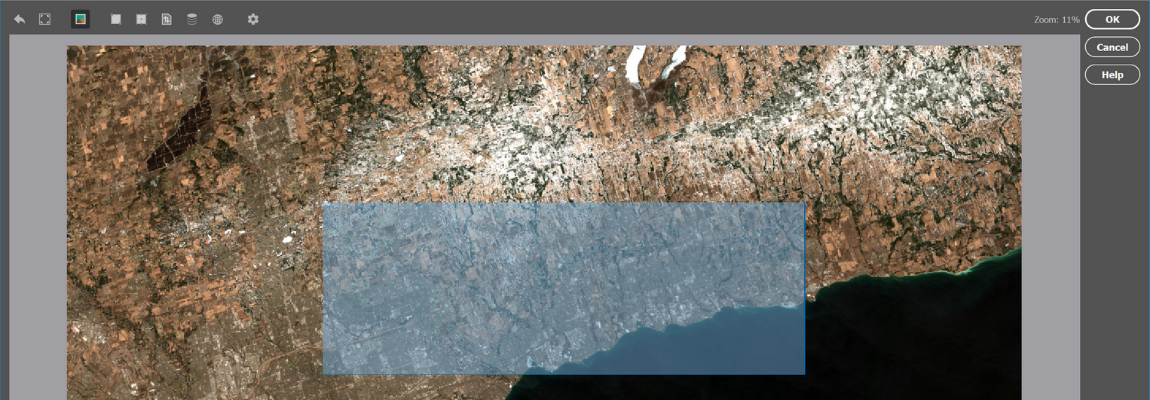
The GeoCrop tool allows image cropping based on a combination of pixels or geographic coordinates (geodetic and projected). Quickly draw a crop area to crop the image. You can also crop based on extents, position, another document’s extents, and more. Advanced Import lets you crop images during import, making it a great way to crop large images without the need to open them first.
Manage colour channels
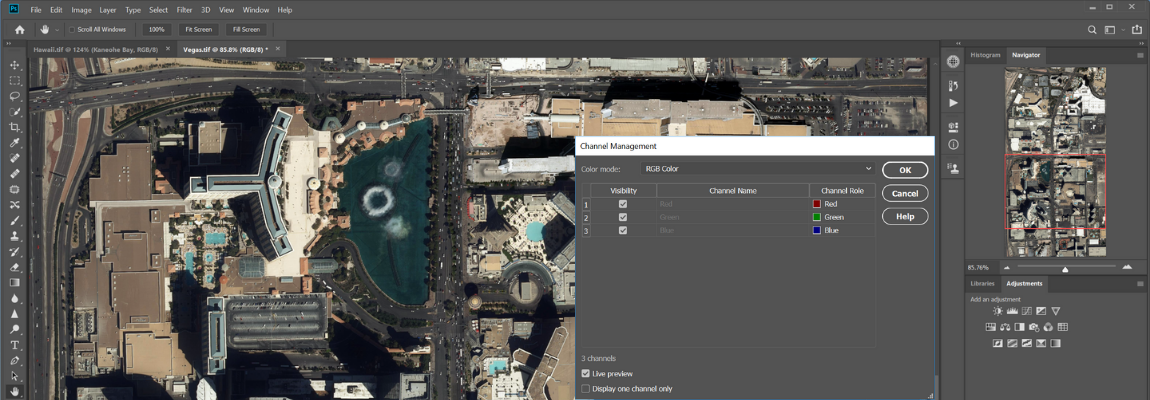
Use Geographic Imager Channel Management to quickly create false- and true-colour images that retain georeferencing. In addition, Adobe Photoshop Merge and Split Channels are supported. Useful for remote sensing and image analysis. Easily manipulate and adjust other visual elements such as colour values and levels, histograms, hues and sharpness.
Automate tasks for faster image processing workflows

Create scripts and actions of Geographic Imager and Adobe Photoshop tools to automate repetitive tasks or workflows. All Geographic Imager tools are compatible with automation.
Simple license management configuration
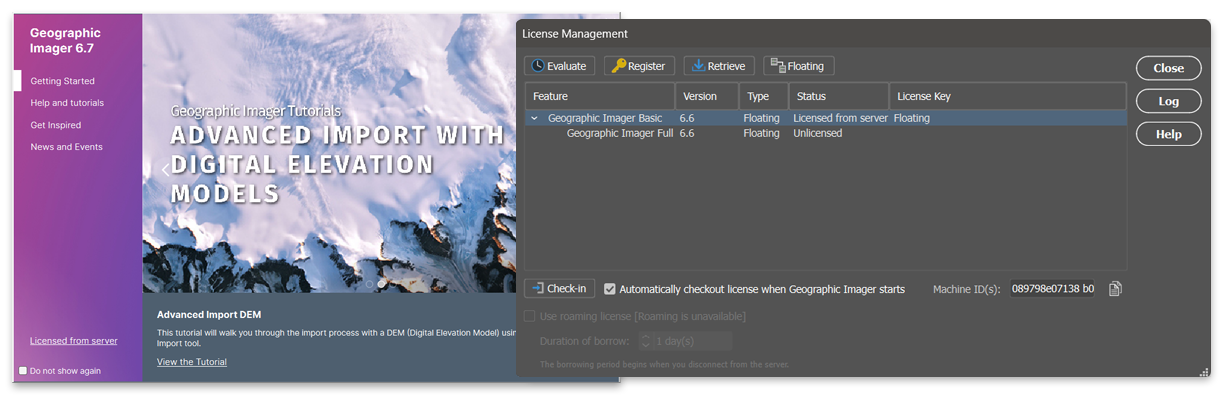
Easily manage license options including commercial, academic, multi-user and floating. Empower multiple users on a network with cost-effective network or floating licenses.
Geographic Imager just works

The latest release of Geographic Imager is available for Windows 10 and 11, and macOS 15 and macOS 26. Geographic Imager is fully compatible with Adobe Photoshop 2025 (26.x) and 2026 (27.x). See complete product compatibility.